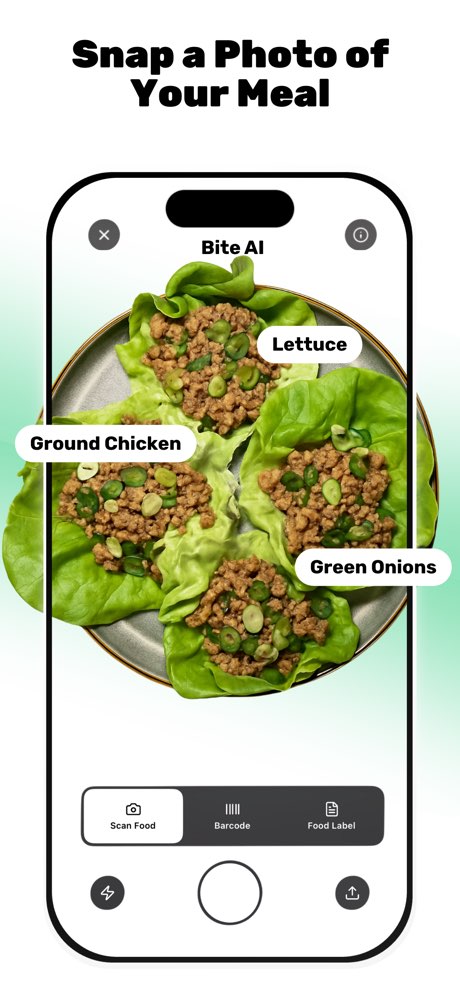
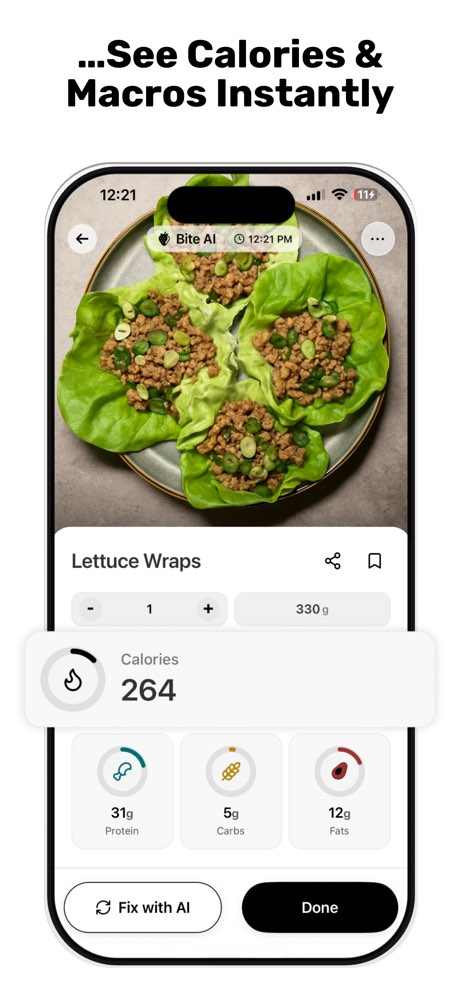
Bite AI: Meal Calorie Tracker

Food Scanner & Macro Counter
Goal fit
How well this app matches common goals (0–10 from our enrichment). Higher means a stronger match.
- Weight loss9.0/10
- Body recomposition8.0/10
- Calorie awareness8.0/10
- Consistency8.0/10
- Fat loss8.0/10
- Habit building8.0/10
- Macro tracking8.0/10
- Meal planning8.0/10
- Muscle gain8.0/10
- Nutrition education8.0/10
- Weight maintenance8.0/10
- General health7.5/10
Who is it for?
Notes from our editorial team.
Best for
- •AI-Assisted Tracking — Users who prioritize quick meal logging via photos, voice, or barcode scanning to minimize manual data entry.
- •Social Accountability — Individuals motivated by sharing progress with friends or having a human coach monitor their food diary in real-time.
- •Macro & Calorie Focus — Those primarily focused on tracking calories and macronutrients for weight management, muscle gain, or specific diet types like keto or flexible dieting.
- •Intermittent Fasting — Users following intermittent fasting protocols who need an automated timer and tracking for their eating windows.
Less ideal for
- •Precision Micronutrient Tracking — Users requiring highly detailed and consistently accurate micronutrient input and tracking beyond basic macro and select micronutrient logging.
- •Reliable AI Accuracy — Individuals who require consistently accurate AI food recognition and macro estimation without frequent manual corrections or unexpected data alterations.
- •Bug-Free Data Management — Users who expect flawless data entry and deletion functionality, as some reports indicate persistent issues with removing logged items.
- •Dedicated AI Coaching — Those seeking a conversational AI coach for personalized guidance and interaction, rather than just a platform for connecting with human coaches.
Review themes
Recurring topics in App Store reviews—what people praise vs. what frustrates them.
Liked themes
Flexible Macro Tracking
Users appreciate the ability to track macros without limits and monitor them over the week rather than just daily.
~1 mentions
Weekly Progress View
The weekly breakdown of progress helps users visualize their journey without daily stress.
~1 mentions
App Stability
The app is noted for not crashing or running slowly, providing a smooth user experience.
~1 mentions
MyFitnessPal Alternative
Users consider it a strong alternative to MyFitnessPal, particularly for its macro visibility.
~1 mentions
Calorie Tracking
The app effectively helps users track their calorie intake.
~1 mentions
Goal Setting
Users like the ability to set and monitor their own nutrition and fitness goals.
~1 mentions
Photo Analysis Convenience
The convenience of taking a picture to log meals is a valued feature.
~1 mentions
Micronutrient Tracking
One user specifically praises the app for tracking various micronutrients like sodium, fiber, and saturated fats.
~1 mentions
Disliked themes
Scanning Accuracy
Food label scanning is frequently unsuccessful, especially for non-flat or small packaging.
~2 mentions
Photo Analysis Accuracy
Photo-based nutrition estimates are often incorrect, requiring manual correction that defeats the purpose of AI.
~1 mentions
Data Management Issues
Users report an inability to reliably delete incorrect entries from their daily log.
~1 mentions
Photo Analysis Limitations
The app does not allow taking multiple photos per food entry, limiting its utility for complex meals.
~1 mentions
Manual Input Inconsistencies
Manually entering or adjusting macros can lead to other nutritional values being incorrectly altered by the AI.
~1 mentions
Micronutrient Tracking Gaps
One user notes the absence of fields for entering specific micronutrients like sodium, saturated fats, or sugar.
~1 mentions
Editorial guide score
Our independent score for Bite AI: Meal Calorie Tracker—based on features, pricing, and feedback themes.
Score breakdown
- User feedback8.0/10
- Pricing value7.2/10
- Accuracy7.8/10
- Feature depth8.5/10
- Ease of use8.1/10
- Beginner friendliness7.9/10
- Coachability6.9/10
Pricing & trials
Store listing
Free · 4 in-app purchase option(s)
Trial
The app offers a free tier for basic tracking, with a subscription required for unlimited AI photo analysis and advanced features.
Pricing tiers
- Monthly
- $7.99
- Yearly
- $19.99
Features we track
Click to see all apps that support this feature.